
Reading time:1 min read



“Good checklists [...] provide reminders of only the most critical and important steps--the ones that even the highly skilled professional using them could miss. Good checklists are, above all, practical.”
-Atul Gawande, The Checklist Manifesto: How to Get Things Right
With a million things to remember before your presentation, forgetting a key element can put you off kilter, and even jeopardize your ability to deliver your talk.
With this in mind, we have drawn on our collective experience here at SpeakerHub to create this useful checklist for public speakers.
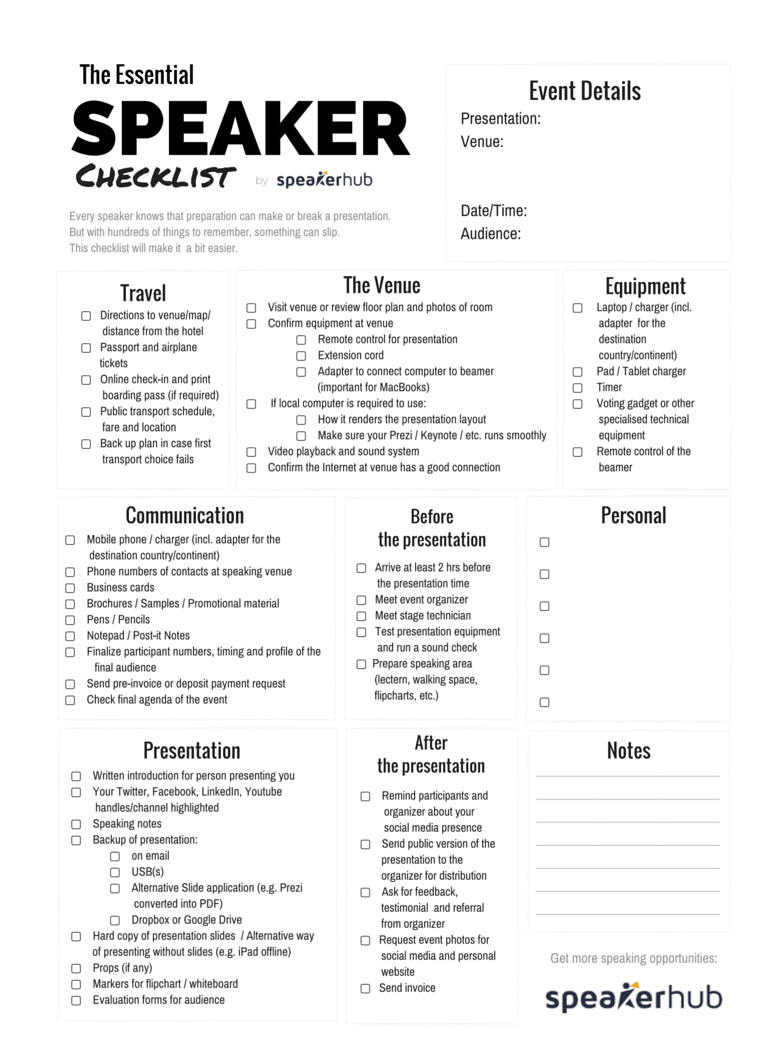
We wanted to convert these ideas into a very practical format, so we created a one-page PDF checklist that you can print off and change to suit your needs.
Items are grouped by category, and you can add your own items and notes, as well as some of the finer details for the event.
Click here to download a printable speaker checklist PDF, or see scroll down to copy and paste the list below.
Presentation:
Venue:
Audience:
Date/Time of Presentation:
Directions to venue / map / distance from the hotel
Passport and airplane tickets
Online check-in and print boarding pass (if required)
Public transport schedule, fare and location
Back up plan in case first transport choice falls through
Mobile phone / charger (incl. adapter for the destination country/continent)
Phone numbers of contacts at speaking venue
Business cards
Brochures / Samples / Promotional material
Pens / Pencils
Notepad / Post-it Notes
Finalize participant numbers, timing and profile of the final audience
Send pre-invoice or deposit payment request
Check final agenda of the event
Visit venue
Review floor plan
Review photos of room
Confirm equipment at venue
Remote control for presentation
Extension cord
Adapter to connect computer to beamer, especially for Macs
If local computer is required to use:
How it renders the presentation layout
Does Prezi, Keynote or other run on it smoothly
Video playback and sound system
Confirm Internet at venue
Laptop / charger with local adapter according to the country/region
iPad / Tablet charger with local adapter
Timer
Voting gadget or other technical equipment
Remote control of the beamer
Written introduction for person presenting you
Your Twitter, Facebook, Linkedin, Youtube handles/channel highlighted
Speaking notes
Backup of presentation:
on email
USB(s)
Alternative Slide application (e.g. Prezi converted into PDF)
Dropbox or Google Drive
Hard copy of presentation slides / Alternative way of presenting without slides (e.g. iPad offline version)
Props (if any)
Markers for flipchart / whiteboard
Evaluation forms for audience
Arrive at least 2 hours before the presentation time
Meet event organizer
Meet stage technician
Test presentation equipment and run a sound check
Prepare speaking area (lectern, walking space, flipcharts, etc.)
Remind participants and organizer about your social media presence
Send public version of the presentation to the organizer for distribution
Ask for feedback, testimonial and referral from organizer
Request event photos for social media and personal website
Send invoice
Click here to download a printable PDF of this checklist.

If you’re a frequent speaker, what else would you add? What might you remove? Contact us here.
Find out how you can start getting more speaking opportunities with SpeakerHub: Find out more about how SpeakerHub works.
Popular Categories